
The 7 Best AI Travel Planner Tools for 2026 (The Honest Review)

Tired of generic advice? We tested the 7 best AI travel planner tools to see which ones are actually useful. Find your perfect trip-planning partner.
The best AI travel planner doesn't just list popular spots; it creates a logical schedule that respects your time and prevents burnout. Most tools are just fancy search engines, but a few, like WanderAssist, build smart itineraries that minimize travel fatigue. This guide cuts through the marketing fluff to show you which tool actually saves you from the decision paralysis of having a dozen open browser tabs.
Here’s the truth: planning a trip can feel like a part-time job. You're drowning in "Top 10" lists and conflicting advice. Last year in Lisbon, I wasted a whole morning trying to figure out the best time to visit Belém Tower without getting stuck in a two-hour line. That's the specific problem most AI planners fail to solve. They give you the what, but ignore the how and when.
This article is a reality check. We're not just listing features; we're testing which of these tools can create a plan that works in the real world. We’ll compare the top contenders, including household names like Expedia alongside focused itinerary builders like WanderAssist. For each option, you'll get a direct link, a screenshot, and a clear breakdown of who it's for. The goal is to help you find the best AI travel planner for your specific needs, whether you're a last-minute solo traveler or a family needing a tightly scheduled day.
Is WanderAssist the Smartest Way to Plan?
WanderAssist calls itself a "reality-aware" travel strategist. It's built to solve the most common travel planning failure: creating an itinerary that looks great on paper but falls apart in practice. For anyone who has ever felt overwhelmed by endless lists or exhausted from zigzagging across a city, this tool is the antidote. It turns the chore of research into a 60-second action, producing a plan that prioritizes realistic pacing over a packed checklist.
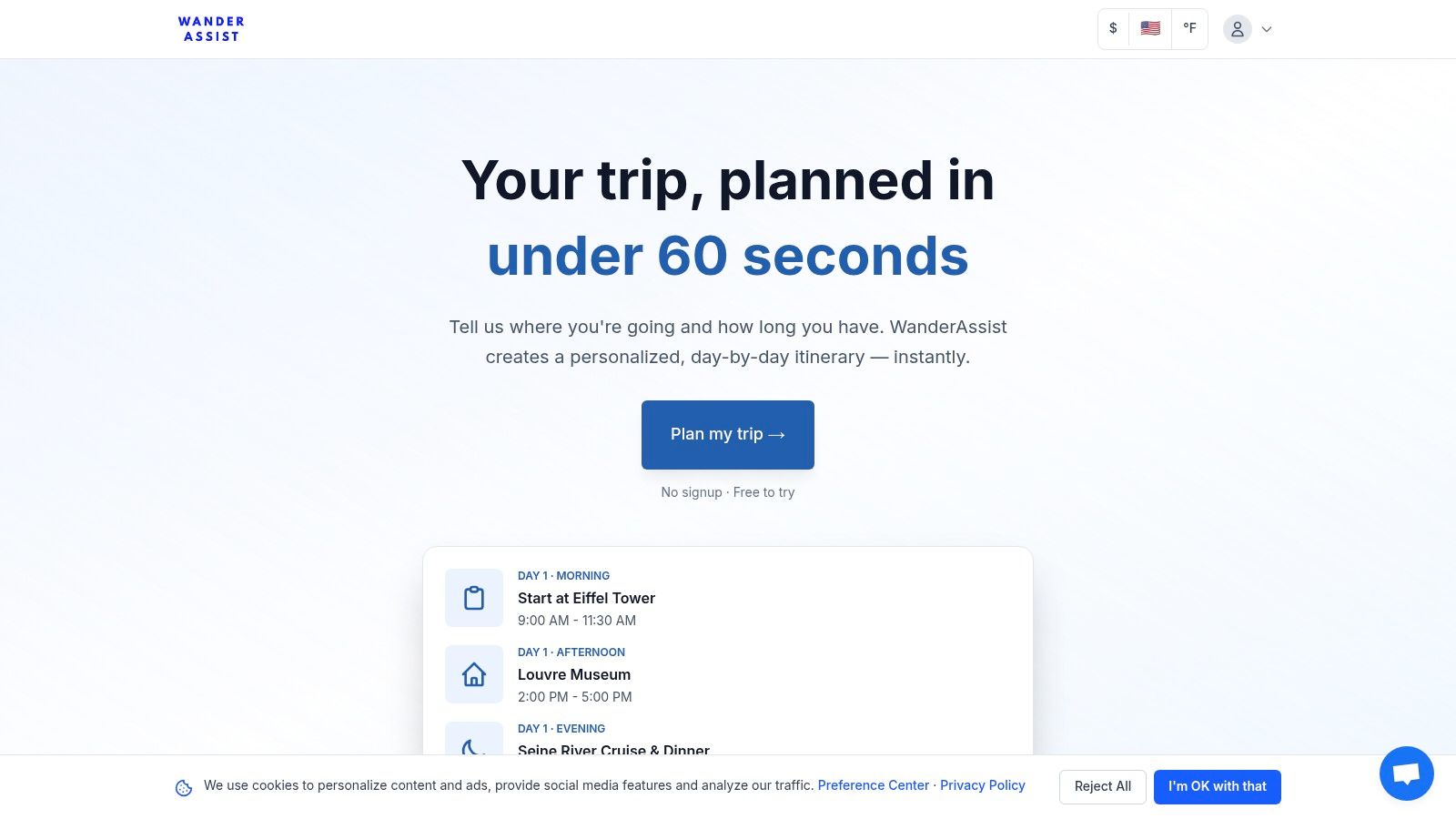
This platform stands out as a top contender for the best ai travel planner because of its core philosophy: timing over territory. Instead of simply listing attractions, its temporal reasoning engine anchors each day’s activities within a specific, walkable neighborhood. This approach minimizes transit time and maximizes your experience, preventing that all-too-common tourist burnout.
What are its Key Features?
WanderAssist’s design is intentionally minimal, focusing on a few powerful features that deliver a practical, usable plan. It's built for speed and clarity, making it a solid choice for busy professionals, families, and last-minute planners.
- Temporal Reasoning & Pacing: The AI’s standout ability is its understanding of time. It suggests the best windows to visit popular sites to avoid peak crowds, corrects unrealistic travel times between locations, and builds in downtime. It knows that seeing the Colosseum at 9 AM is a vastly different experience than seeing it at 1 PM.
- Neighborhood-Anchored Itineraries: Plans are grouped by district. A morning might be spent in Rome’s Trastevere, followed by an afternoon across the river, preventing inefficient travel. This logical grouping makes each day feel more relaxed.
- "Linger Zones" and Expectation Correction: WanderAssist doesn't just send you to the next big landmark. It strategically includes "Linger Zones"—nearby cafes, parks, or plazas where you can pause, absorb the local atmosphere, and recharge. It also provides reality checks, warning about commercial pressure at certain sites so you can manage your expectations.
- Simple User Experience: Getting started is incredibly simple. There's no mandatory signup or paywall to generate your first plan. The three-step flow (describe, generate, tweak) delivers a complete itinerary in under a minute, which you can then save, edit, and share via a link.
The WanderAssist Reality Check
Price Warning: WanderAssist provides a phenomenal starting point for free, but it’s not a replacement for on-the-ground flexibility. The AI generates a static plan, so you'll still need to verify opening times for holidays or special events and adapt to unforeseen changes like transit strikes. For travelers seeking deep, hyperlocal knowledge or truly off-the-grid secrets, a human guide still wins.
Who is WanderAssist For?
This tool is a perfect fit for the practical traveler who values efficiency and a well-paced experience. It excels for first-time visitors to major cities who need a solid, logical framework to build upon. Families will appreciate the time-blocked schedules that prevent kid meltdowns, while last-minute planners can get a cohesive plan in minutes. If your goal is less research stress and more actual enjoyment, WanderAssist delivers. If decision fatigue is your main problem, the WanderAssist 60-second planner is designed to be the solution.
Our Take: WanderAssist's focus on usable, reality-tested plans makes it a powerful and refreshingly practical tool. It's less about dreaming and more about doing, which is exactly what a great planner should facilitate.
For those interested in the underlying principles of its design, the team explains their approach in more detail on their site. You can learn more about WanderAssist's AI travel planning philosophy here.
Website: https://wanderassist.com
Does Expedia's AI Actually Help You Book?
Expedia is a familiar name, but its recent move into AI-powered trip planning and support transforms it from a simple online travel agency (OTA) into a contender for the best AI travel planner for those who want to move from idea to booking in one motion. Instead of just giving you ideas, Expedia’s AI helps you find and book flights, hotels, and activities, then manages the post-booking process with an automated agent.
This integration is Expedia’s key advantage. It’s an end-to-end solution designed for travelers who value efficiency and want a single platform to handle everything. The AI isn't just a separate chatbot; it's woven directly into the shopping and customer service experience.
How Does Expedia's AI Work?
Expedia’s primary AI feature is a conversational trip planner within its mobile app. You can chat with the AI about your travel plans, asking it for destination ideas or specific hotel recommendations. For instance, you could ask, "Find me a family-friendly hotel in Rome near the Colosseum with a pool for under $400 a night."
The AI scans Expedia’s massive inventory and presents options. When you see a hotel you like, it’s automatically saved to your "Trip" within the app, making it easy to compare later. Last time I was planning a quick weekend trip, this feature saved me from the endless tab-switching I usually do between a map, a booking site, and my notes.
Once booked, the AI-powered service agent takes over. Need to change your flight or ask a question about your hotel booking? The virtual agent can handle a large volume of common requests automatically, which is a significant step up from waiting on hold for a human agent.
The WanderAssist Reality Check
Tourist Trap Warning: Expedia’s AI is impressive, but it’s still part of a massive commercial ecosystem. The recommendations often prioritize hotels and partners that have a strong commercial relationship with Expedia. This doesn’t mean the suggestions are bad, but they aren't always the most unique or local options. Always cross-reference a key hotel recommendation on an independent map to check its actual location and the surrounding neighborhood.
Key Features at a Glance:
- Conversational Trip Planning: Chat-based interface in the mobile app for discovering and saving hotels.
- AI-Powered Service Agent: Automated support for post-booking changes, cancellations, and inquiries.
- Unified Booking: Search and book flights, hotels, cars, and activities all within one platform.
- Price Tracking: Integrated tools to monitor flight and hotel prices for your saved trips.
| Feature | How It Helps | Best For |
|---|---|---|
| Unified AI Chat | Moves you from inspiration to booking without leaving the chat. | Travelers who want a one-stop-shop experience. |
| Automated Agent | Resolves common travel issues without long customer service waits. | Anyone who has ever had to change a flight at the last minute. |
| Vast Inventory | Provides a huge selection of flights and accommodations. | Users who prioritize choice and competitive pricing over curated picks. |
Who is Expedia’s AI Planner For? Expedia is the ideal choice for the practical traveler who wants to consolidate their planning and booking. If you already use OTAs for their convenience and loyalty programs (like Expedia Rewards), the AI features feel like a natural and powerful upgrade. It’s less for the discovery-focused wanderer and more for the decisive planner who wants to get things booked quickly and managed efficiently.
Website: https://www.expedia.com
Is Booking.com's Planner Just for Hotels?
Booking.com is a powerhouse in accommodation, and its AI Trip Planner leverages this strength, making it a strong contender for the best AI travel planner for those who build their trips around their stay. Integrated directly into its popular mobile app, the AI planner helps you build city or even country-wide itineraries, using its massive lodging inventory as the backbone of your journey.
This accommodation-centric approach is Booking.com’s defining feature. While other tools focus on activities or flights first, this AI assumes your hotel or rental is the core of your trip and builds outward from there. It’s an end-to-end solution for travelers who prioritize finding the perfect place to stay and then want AI to help fill in the gaps.
How Does Booking.com's AI Work?
The AI Trip Planner lives within the Booking.com mobile app and functions as a conversational assistant. You can give it a broad prompt like, "I'm going to Lisbon for four days and want a mix of history and great food," or a more specific one like, "Build me a 2-day itinerary for Kyoto focused on temples and gardens, staying near Gion."
The AI then generates a suggested itinerary, weaving in recommendations for attractions and activities. Critically, it also suggests properties from its inventory that are well-located for that specific plan. On a recent trip I planned to Amsterdam, I asked for an itinerary centered around museums; the AI not only mapped out a logical route but also suggested three hotels within a 10-minute walk of the Museumplein, saving me the hassle of cross-referencing maps.
Once you find accommodations you like, they are saved to your trip, making it simple to finalize your plans. The platform is also rolling out desktop support, which will make detailed planning even easier for those who prefer a larger screen.
The WanderAssist Reality Check
Price Warning: Booking.com's AI is a fantastic tool, but its world revolves around its own inventory. The planner is designed to keep you within its ecosystem, so recommendations for lodging are its primary goal. This means you might miss out on a unique independent guesthouse or a new boutique hotel that isn't listed on the site. Its focus is also much stronger on lodging than on flights or niche activities, so you'll likely need other tools to complete those parts of your plan.
Key Features at a Glance:
- AI Trip Planner: Conversational AI within the mobile app that builds itineraries based on your interests.
- Deep Lodging Integration: Seamlessly connects itinerary suggestions with relevant hotels and rentals.
- City & Country Itineraries: Capable of generating plans for a single city or a multi-stop trip across a country.
- Unified Trip Management: Keeps your itinerary and accommodation bookings in one place within the app.
| Feature | How It Helps | Best For |
|---|---|---|
| Accommodation-Led AI | Builds your itinerary around your lodging for logistical ease. | Travelers who prioritize their hotel choice and location. |
| Conversational Itinerary | Generates structured daily plans from simple text prompts. | Users who feel overwhelmed by "where to start" in a new destination. |
| Massive Lodging Inventory | Taps into one of the world's largest selections of places to stay. | Planners who want extensive choice and competitive pricing for lodging. |
Who is Booking.com’s AI Planner For? This tool is perfect for the traveler who views their accommodation as their home base. If you’re the type to find a great hotel deal first and plan your activities second, this AI will feel intuitive and powerful. It’s especially useful for planning city breaks where location is everything, allowing you to build a logical and efficient schedule around your chosen neighborhood.
Website: https://www.booking.com
How Does Trip.com's Visual Planner Work?
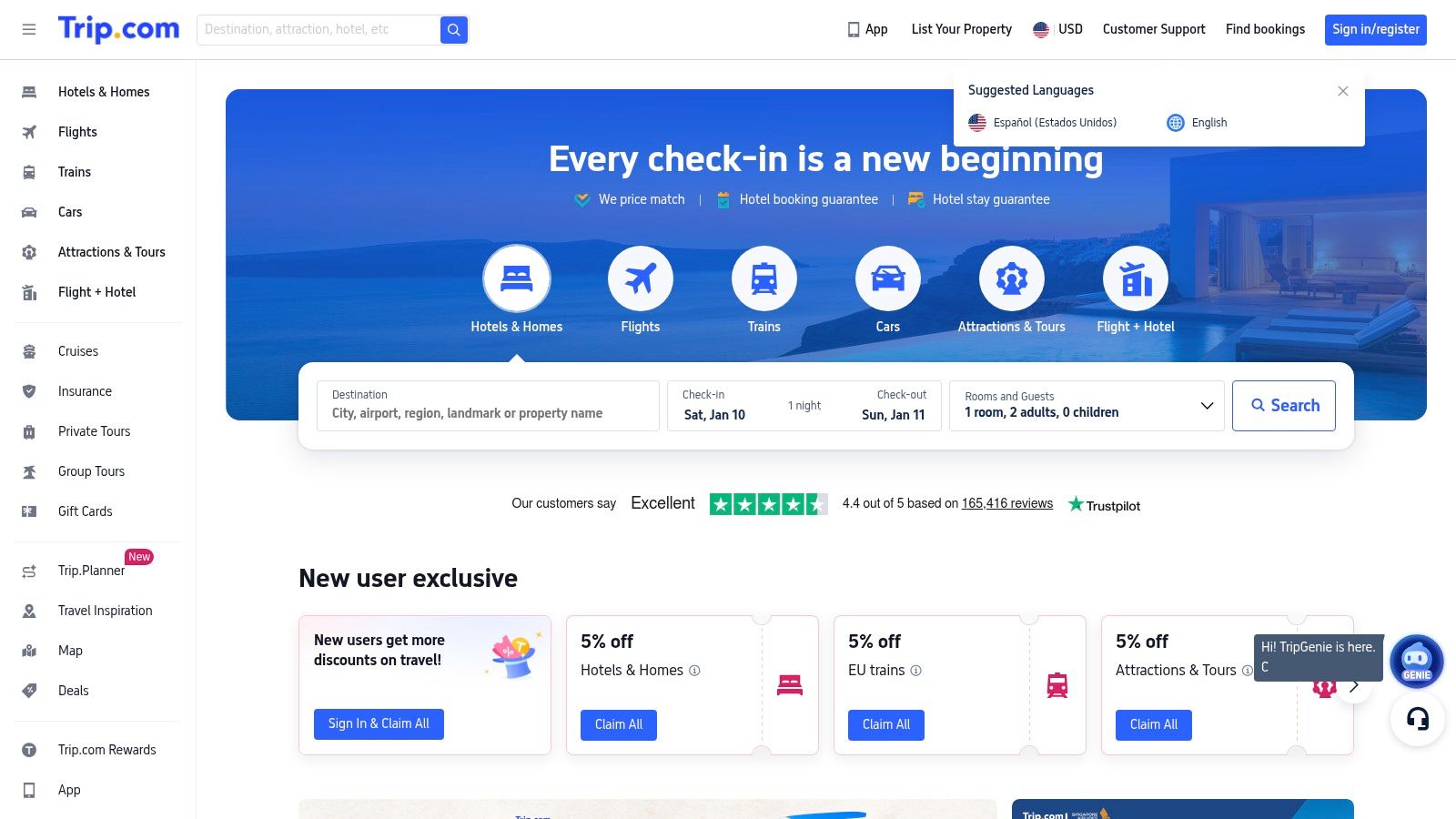
Trip.com, a major online travel agency, has entered the AI planning space with its Trip.Planner tool. It stands out by combining its massive inventory of flights, hotels, and tours with a dynamic, canvas-style AI itinerary builder. This makes it a strong contender for the best AI travel planner for visual planners who want to see their trip take shape in real-time and book everything in one ecosystem.
The platform’s core strength is its integration. The AI doesn't just suggest ideas; it pulls from Trip.com’s own data on trending spots (Trip.Pulse), top-rated experiences (Trip.Best), and local happenings (Trip.Events) to populate your plan. It’s designed for travelers who want to move from a rough idea to a fully visualized and bookable itinerary without juggling multiple tabs.
What Does the AI Actually Do?
Trip.com's Trip.Planner starts with a few simple prompts: destination, dates, and travel style. The AI then generates a baseline itinerary on a visual, map-based canvas. This is where it gets interesting. An always-on "floating AI" button lets you refine the plan instantly. You can ask it to add more restaurants, find a museum for a rainy afternoon, or reorganize a day for better walkability.
As you drag and drop activities or edit your schedule, the map and route visualization update in real time. Last time I tested this for a hypothetical trip to Tokyo, I could immediately see that my plan to visit the Ghibli Museum and the Skytree on the same day was a logistical nightmare. The AI suggested a more sensible grouping, saving hours of potential transit time. You can also import existing bookings from your Trip.com account directly into your plan.
The WanderAssist Reality Check
Tourist Trap Warning: Trip.com’s AI is built to keep you within its ecosystem. While the recommendations are data-driven, they are naturally skewed toward accommodations and tours that can be booked on Trip.com. This is great for convenience but can limit exposure to smaller, independent businesses or unique local experiences that aren't listed on the platform. Always zoom in on the map and use Street View to check the real-world vibe of a suggested area before committing.
Key Features at a Glance:
- Canvas-Style Interface: A visual, map-based planner for drag-and-drop itinerary building.
- Real-Time AI Assistant: A "floating" AI button to make on-the-fly adjustments and suggestions.
- Data-Driven Recommendations: Suggestions sourced from Trip.com’s proprietary data on trends and events.
- Booking Integration: Directly book flights, hotels, and tours from within the planner.
| Feature | How It Helps | Best For |
|---|---|---|
| Visual Canvas & Map | Lets you see your route and daily flow spatially to avoid backtracking. | Visual planners who think in terms of geography and logistics. |
| Floating AI Button | Provides instant, contextual edits without restarting the planning process. | Decisive travelers who want to refine an existing plan quickly. |
| Data-Driven Suggestions | Uncovers popular and timely activities based on real user data. | Users who want recommendations aligned with current trends and events. |
Who is Trip.com’s AI Planner For? Trip.com is perfect for the practical, visual planner who values efficiency and integration. If you want to build a logical, geographically sound itinerary and then book all the components without leaving the page, this tool is exceptional. It’s particularly useful for first-time visitors to a large city who need help structuring their days to minimize travel time.
Website: https://www.trip.com
Is KAYAK's AI Just a Fancy Search Bar?
KAYAK has long been a go-to metasearch engine for finding deals, but its new "AI Mode" elevates it into a contender for the best AI travel planner for travelers focused on price and options. Instead of creating a multi-day itinerary, KAYAK’s AI acts as a conversational search expert, helping you find and compare flights, hotels, and cars across hundreds of providers with simple, natural language.
This focus on price discovery is KAYAK’s core strength. It's an AI-powered starting point for the practical planner who wants to see all their options in one place before committing. The AI isn't a separate app; it's integrated directly into the search experience, making it a powerful tool for narrowing down the best deals quickly.
How Does KAYAK's AI Work?
KAYAK's AI is primarily experienced through its homepage search bar. You can switch to "AI Mode" and ask conversational questions instead of filling out rigid search forms. For example, you can type, "Find me nonstop flights from NYC to Paris for a week in May" or "Show me boutique hotels in Lisbon's Alfama district with a rooftop bar."
The AI interprets your request and instantly populates the search results with filtered options from its vast network of partners. This bypasses the traditional, multi-step process of selecting dates, cities, and filters. Last time I was looking for a specific type of rental car, I just typed "SUV from LAX with free cancellation," and the AI did all the filtering for me, saving several minutes of clicking through menus.
The AI is also available through KAYAK.ai, a lab for testing more advanced features. This transparency gives a glimpse into the future of travel search, where your intent is understood without needing to learn a complex interface.
The WanderAssist Reality Check
Price Warning: KAYAK’s AI is a fantastic search tool, but remember it’s a metasearch engine, not a direct booking site. This means after you find a great deal, KAYAK sends you to a third-party website (like an airline or an online travel agency) to complete the purchase. This handoff can sometimes be jarring, and you'll need to manage your booking with the final provider, not KAYAK. Always double-check the final price and details on the booking site, as things can occasionally change.
Key Features at a Glance:
- Conversational Search: Use plain-English prompts for flights, stays, and cars.
- AI Mode: An integrated AI-first search experience directly on the homepage.
- Price Comparison: Scans hundreds of provider sites to find competitive pricing.
- Transparent Sourcing: Clearly links out to the source for booking.
| Feature | How It Helps | Best For |
|---|---|---|
| Conversational Search | Simplifies the process of finding and filtering travel options. | Travelers who know what they want but hate using complex filters. |
| Metasearch Engine | Provides a comprehensive overview of prices from many sources. | Price-conscious planners who want to ensure they get a good deal. |
| Direct Homepage AI | Offers immediate, browser-based access without needing an app. | Quick, on-the-fly searches and deal comparisons from a desktop. |
Who is KAYAK’s AI Planner For? KAYAK is the perfect choice for the deal-savvy researcher who prioritizes comparison and price. If you want to leverage AI to quickly scan the market for the best flight or hotel deals before you book, this tool is for you. It’s less about crafting a detailed itinerary and more about making the most informed purchasing decision efficiently. It excels for the discovery phase of your trip.
Website: https://www.kayak.com
Can Layla Generate an Itinerary Instantly?
Layla is an AI travel companion that feels like texting a savvy friend for a full itinerary. By integrating the popular Roam Around engine, Layla excels at one specific task: rapidly generating a day-by-day schedule. This makes it a strong contender for the best AI travel planner for travelers who prioritize a structured plan over open-ended discovery and want to bridge the gap between ideas and bookings.
Unlike pure booking engines, Layla’s primary goal is to solve the "blank page" problem. It answers the question, "I'm going to Lisbon for three days, what should I do?" by providing an actionable, time-blocked itinerary. It then takes the next step by pulling in live pricing for flights and hotels, turning a static plan into a bookable trip.

How Does Layla's AI Work?
Layla operates through a simple, chat-based interface on its app and website. You start a conversation by telling the AI your destination, duration, and interests (e.g., "Plan a 4-day arts and food trip to Paris"). Within seconds, it generates a complete daily schedule, often with timings, brief descriptions, and logical geographic grouping to minimize travel time.
The integration of Roam Around’s technology is key here. It’s known for producing itineraries that feel logical and well-paced. Once the plan is generated, Layla can then search for flights via Skyscanner and hotels via Booking.com that align with your trip dates. This two-step process—plan, then price—is what sets it apart. The last time I planned a spontaneous city break, Layla gave me a solid hourly schedule I could refine, which is a great starting point when you need to learn more about how to create a travel itinerary from scratch.
The WanderAssist Reality Check
Tourist Trap Warning: Layla is excellent for generating a first draft, but it's not a deeply personalized concierge. The itineraries can sometimes feel generic and may not capture the most unique local experiences. Furthermore, while it shows booking options, it's still a middle layer. You're ultimately booking through its partners. Always click through to the final booking page to check for any additional fees or details. Some users have also reported mixed experiences with its premium subscription trials, so it’s wise to thoroughly test the free version first.
Key Features at a Glance:
- Rapid Itinerary Generation: Creates full, day-by-day plans in seconds using a conversational prompt.
- Booking Integration: Pulls live flight and hotel prices from partners like Skyscanner and Booking.com.
- Roam Around Engine: Leverages a proven itinerary generator for logical and well-structured travel plans.
- Mobile App: Offers a dedicated iOS app for planning on the go.
| Feature | How It Helps | Best For |
|---|---|---|
| Chat-Based Itinerary | Eliminates the "blank page" problem by instantly creating a schedule. | Travelers who need a structured plan to start with. |
| Live Price Integration | Connects the planning phase directly to the booking phase. | Users who want to quickly check the budget feasibility of a generated trip. |
| Roam Around Engine | Ensures itineraries are well-paced and geographically logical. | First-time visitors who want an efficient tour of a new city. |
Who is Layla’s AI Planner For? Layla is ideal for the decisive traveler who needs a solid, structured plan quickly. It’s perfect for weekend city breaks or for first-time visitors who feel overwhelmed by planning. If you want a fast, free, and actionable itinerary that you can either follow precisely or use as a robust starting point, Layla delivers. It's less for those who enjoy the slow, discovery phase and more for those who want to get a plan and get going.
Website: https://layla.ai
Is Wonderplan Just a Simple Itinerary Maker?
Wonderplan is a free, web-based AI tool that excels at one specific task: generating a clean, editable first draft of your itinerary in seconds. It’s less of a comprehensive booking engine and more of a digital sketchpad, making it a strong contender for the best AI travel planner for those who want a structured starting point they can then validate and book elsewhere.
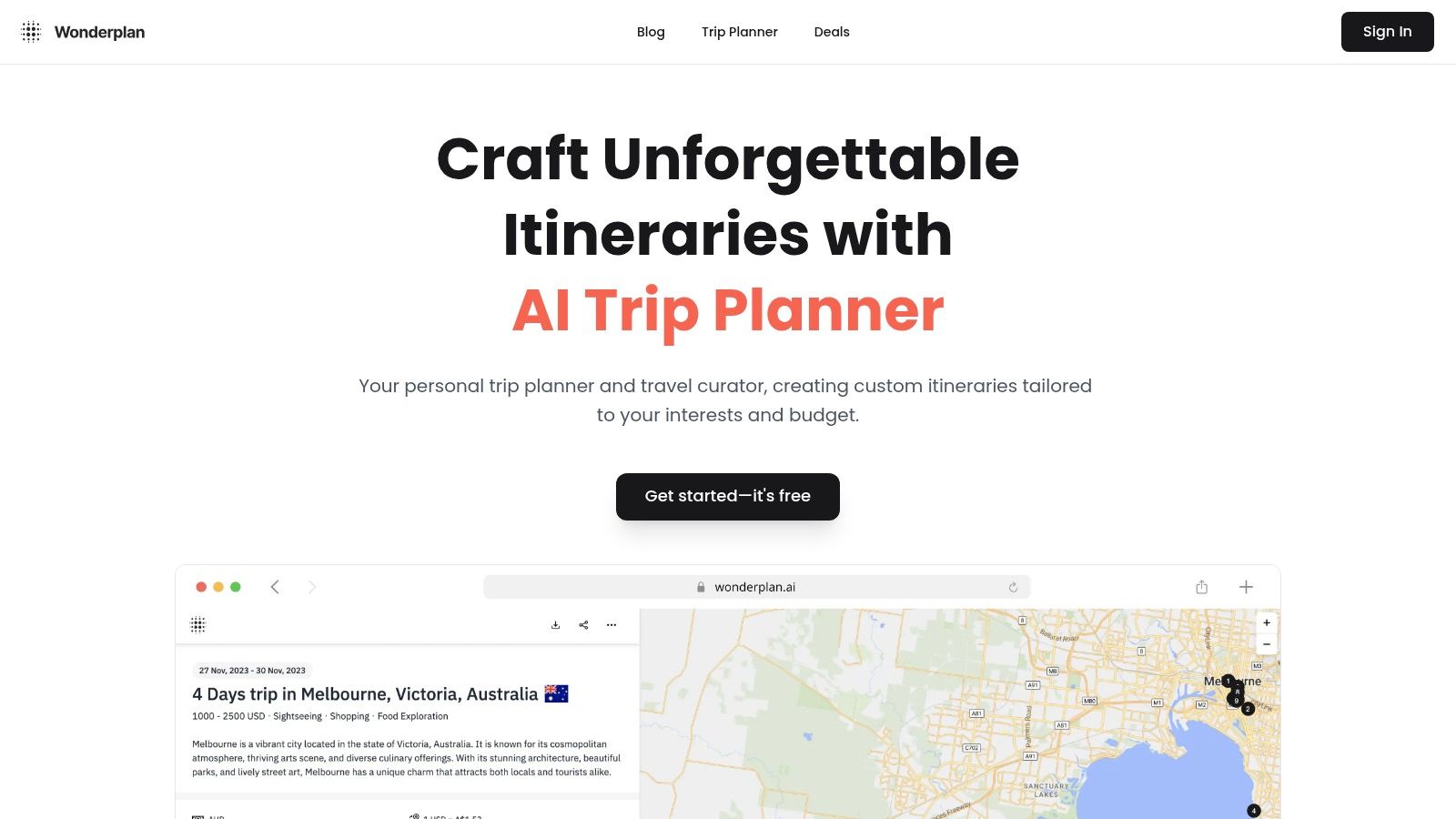
This straightforward approach is Wonderplan's main appeal. It’s designed for travelers who need a logical plan for a city break or a short trip without the noise of booking integrations. The AI focuses purely on sequencing attractions, suggesting routes, and providing a framework you can easily modify.
How Does Wonderplan's AI Work?
Wonderplan operates through a simple web interface. You input your destination, dates, and basic interests (like "history," "food," or "relaxing"). The AI then generates a day-by-day itinerary complete with suggested attractions, time-blocked activities, and even lodging ideas.
The key feature is the post-generation editor. Once you have your plan, you can drag and drop activities to reorder them, remove stops you aren't interested in, or add your own custom notes. Last time I was planning a weekend in Lisbon, I used it to create a base plan, then immediately deleted a few tourist-heavy suggestions and added a specific restaurant I wanted to try. The ability to export the final plan as a PDF is incredibly useful for having an offline copy on your phone.
The WanderAssist Reality Check
Tourist Trap Warning: Wonderplan is fantastic for a first draft, but it's not a verification tool. The AI sometimes suggests routes that look good on paper but are impractical due to hills or awkward public transport links. It also lacks real-time information, so it won’t know if an attraction is closed for a holiday. Always double-check its suggestions on a map and the official websites for opening hours before finalizing your day.
Key Features at a Glance:
- Simple Itinerary Generation: Creates day-by-day plans from basic destination and interest inputs.
- Editable Interface: Drag-and-drop functionality to reorder, add, or delete itinerary items.
- PDF Export: Download your final travel plan for offline access or easy sharing.
- Free to Use: No payment or sign-up is required to generate and edit a plan.
| Feature | How It Helps | Best For |
|---|---|---|
| Quick First Drafts | Creates a structured plan in seconds, eliminating blank-page anxiety. | Planners who need a starting point for single-city or short trips. |
| Editable Plans | Allows full customization to match personal preferences. | Travelers who like to be in control of the final details. |
| PDF Export | Provides a clean, shareable, and offline-accessible itinerary. | Anyone who wants a hard copy or digital file of their plan. |
Who is Wonderplan’s AI Planner For? Wonderplan is perfect for the organized traveler who wants a solid, structured foundation to build upon. If you enjoy researching and booking your own hotels and flights but hate the initial headache of sequencing activities, this tool is your ideal starting point. It’s for the decisive planner who wants to quickly visualize a trip, tweak it to perfection, and then handle the bookings independently.
Website: https://wonderplan.ai
Which AI Travel Planner is Actually the Best? A Comparison Table
| Product | Implementation complexity 🔄 | Resource requirements ⚡ | Expected outcomes ⭐ | Ideal use cases 💡 | Key advantages 📊 |
|---|---|---|---|---|---|
| WanderAssist | 🔄 Low — simple 3‑step flow, no signup required | ⚡ Low — web-based, free-to-try demo | ⭐ High — fast, pace-optimized day-by-day itineraries focused on timing | 💡 First-time visitors, busy/last‑minute travelers, couples/families wanting calm pacing | 📊 Instant usable plans, crowd/timing insights, neighborhood "Linger Zones" |
| Expedia | 🔄 Medium–High — full OTA with integrated AI service workflows | ⚡ High — app-forward, accounts, broad inventory and payment systems | ⭐ High — end‑to‑end booking plus AI-assisted post‑booking support | 💡 Travelers wanting unified search, booking, and automated customer service | 📊 Large inventory, loyalty benefits, price tracking, mature post‑booking AI agent |
| Booking.com | 🔄 Medium — AI Trip Planner embedded in mobile app | ⚡ Medium — mobile app integration with massive lodging inventory | ⭐ Medium–High — accommodation‑centric itineraries and discovery | 💡 Travelers prioritizing lodging selection with itinerary stitching | 📊 Massive accommodation selection, competitive rates, quick AI-driven narrowing |
| Trip.com | 🔄 Medium — canvas editor with always-on AI refinement | ⚡ Medium — web+app, data integrations (Trip.Best/Pulse/Events) | ⭐ High — editable, data‑driven itineraries with real‑time suggestions | 💡 Users who want inspiration + booking in one interactive editor | 📊 Real‑time AI suggestions, map/route visualization, booking integration |
| KAYAK | 🔄 Low–Medium — conversational metasearch and experimental AI lab | ⚡ Low — browser-based, fast filtering across providers | ⭐ Medium — rapid price discovery and actionable search results | 💡 Price‑conscious users comparing many suppliers quickly | 📊 Broad price comparison, source transparency, immediate conversational results |
| Layla (Roam Around) | 🔄 Medium — chat-based planner with integrated itinerary engine | ⚡ Medium — app+web, partner price feeds, optional premium tier | ⭐ High — personalized day‑by‑day itineraries with live pricing paths | 💡 Users wanting conversational planning plus booking pathways and curated styles | 📊 Roam Around quality, live partner pricing, quick chat‑driven plans |
| Wonderplan | 🔄 Low — straightforward web planner with editable drafts | ⚡ Low — free web access, PDF export capability | ⭐ Medium — quick first‑draft itineraries for short/single‑city trips | 💡 Fast drafting, sharing, and offline/exporting of simple plans | 📊 Free to use, editable exports (PDF), simple route and attraction suggestions |
So, What's the Right AI Planner for You?
We've walked through a lineup of AI travel planners, each tackling the chaos of trip organization in its own way. You've seen everything from WanderAssist’s focus on realistic pacing to Expedia’s all-in-one booking integration. The core takeaway is simple: the "best AI travel planner" isn't a one-size-fits-all title. The right tool depends entirely on your travel style and your biggest planning headache.
Last time I was planning a quick weekend trip to Lisbon, I realized the biggest hurdle wasn't finding things to do; it was filtering the endless options into a schedule that wouldn't lead to total exhaustion. That's the modern travel paradox: we have more information than ever but less clarity on how to use it. These AI tools are the first real solution to that information overload, but choosing the right one is critical.
A sleek interface on an app like Layla might be perfect for visual discovery, but if it generates an itinerary that has you crisscrossing a city three times in one afternoon, it's failed at its core mission. Conversely, a booking giant like KAYAK can find you great deals, but its planning features often feel like an add-on rather than the main event. Your goal is to match the tool's strength to your biggest travel-planning problem.
Finding Your Perfect AI Match
To cut through the noise, let's map these tools to specific traveler needs. This isn't about which tool has the most features; it's about which one solves your problem most effectively.
Match the Planner to Your Pain Point:
-
For the Overwhelmed Planner Who Hates Research: If you're a busy professional or a parent, your most valuable asset is time. You need a complete, logically sequenced plan out of the box.
- Your Best Bet: WanderAssist. It's designed specifically to combat decision fatigue and burnout by delivering a "reality-aware" itinerary in under a minute. Its focus on neighborhood anchoring and realistic timing means you get a plan you can actually use.
-
For the "One-and-Done" Booking Enthusiast: If your priority is locking in flights, hotels, and activities all in one seamless workflow, an integrated platform is non-negotiable.
- Your Best Bet: Expedia or Booking.com. Their AI planners are built directly into their massive booking ecosystems. They excel at consolidating your reservations and suggesting activities based on what you've already booked.
-
For the Visual Explorer and Idea Gatherer: If you enjoy the discovery phase and want an AI to act as a visual brainstorming partner, you'll want a tool with a map-centric or aesthetically pleasing interface.
- Your Best Bet: Trip.com or Layla. These tools use AI to present recommendations in a visually engaging way, making it easier to see what your trip could look like. They are excellent starting points for gathering ideas.
-
For the Deal-Hunter with Flexible Plans: If your primary motivation is finding the lowest price and you're willing to build your itinerary around those deals, a flight and hotel aggregator is your tool.
- Your Best Bet: KAYAK. Its AI capabilities are geared toward price optimization and tracking, helping you book at the right moment. The planning tools are secondary to its powerful search functions.
Ultimately, the goal of any great travel tool should be to get you out of the app and into the world with confidence. It should reduce stress, not create a new digital to-do list. Before you fall down another research rabbit hole, ask yourself what you truly need: a booking engine, a digital scrapbook, or a practical, on-the-ground schedule. That answer will point you to the right AI travel planner every time.
The most common travel planning failure isn't a lack of information; it's a lack of realism. The best AI travel planner should protect your time and energy. Before you spend hours stitching together a plan, see what a realistic one looks like with the WanderAssist 60-second planner at WanderAssist.